

















Back to Blog Index

What Makes a Barcode Unscannable?
What Makes a Barcode Unscannable?
If a barcode won’t scan, it’s almost never the scanner’s fault.
Unscannable barcodes usually fail because of design mistakes, printing issues, or material choices—many of which aren’t obvious until products hit a warehouse, loading dock, or retail counter.
Below are the most common reasons barcodes fail, how to spot them, and how to avoid costly reprints.
1. Poor Contrast Between Bars and Background
Barcodes rely on high contrast to scan correctly.
Common mistakes:
- Gray bars instead of black
- Colored backgrounds
- Printing on metallic or glossy surfaces
Why it fails:
Scanners read reflected light. If the bars and background reflect too similarly, the scanner can’t distinguish them.
Best practice:
- Black bars on a white or very light background
- Avoid red, blue, or metallic substrates unless verified
2. Missing or Inadequate Quiet Zones
Every barcode requires a quiet zone—blank space on both sides of the barcode.
What goes wrong:
- Text, lines, or graphics crowd the barcode
- Barcodes placed too close to label edges
Why it fails:
Without quiet zones, scanners can’t determine where the barcode begins or ends.
Best practice:
- Follow minimum quiet zone specs for the barcode symbology
- Never trim or crowd barcode edges
3. Incorrect Barcode Size or Resolution
Barcodes that are too small or over-compressed are one of the biggest causes of scan failure.
Common issues:
- Shrinking barcodes to “fit the label”
- Low DPI printing
- Bars bleeding together
Why it fails:
If bars merge or narrow beyond scanner tolerance, data becomes unreadable.
Best practice:
- Print barcodes at the correct X-dimension
- Use professional-grade printers and adequate resolution
4. Wrong Barcode Type for the Application
Not all barcodes work everywhere.
Examples:
- Code 39 used where Code 128 is required
- UPC used for internal tracking
- Retail barcodes used in warehouse environments
Why it fails:
Different scanners, systems, and industries expect specific formats.
Best practice:
- Match the barcode symbology to its real-world use
- Verify retailer, warehouse, or system requirements
5. Printing on the Wrong Label Material
A barcode that scans in the office may fail in the real world.
Common problem environments:
- Heat
- Cold
- Moisture
- Abrasion
Why it fails:
Ink fades, adhesives fail, or surfaces distort.
Best practice:
- Use thermal transfer labels for durability
- Match label material and adhesive to the environment
6. Low Print Quality or Inconsistent Ink
Even the right barcode can fail if printed poorly.
Causes:
- Inkjet or laser printers not designed for barcodes
- Inconsistent ink density
- Dirty or worn print heads
Why it fails:
Uneven bars and gaps confuse scanners.
Best practice:
- Use dedicated barcode printers
- Keep print heads clean and calibrated
7. Data Errors or Bad Check Digits
Sometimes the barcode scans—but still doesn’t work.
Examples:
- Incorrect UPC check digit
- Leading zeros removed
- Duplicate serial numbers
Why it fails:
The scanner reads the barcode, but the system rejects the data.
Best practice:
- Validate barcode data before printing
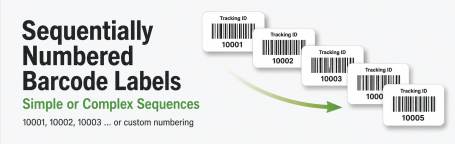
- Proof sequential and variable data carefully
How to Prevent Unscannable Barcodes
The easiest way to avoid barcode failures is to get it right before printing.
- Verify barcode format and data
- Confirm size, contrast, and quiet zones
- Match materials to environment
- Test scan samples before production
Final Thought
Most unscannable barcodes look “fine” to the human eye—but scanners are far less forgiving.
If your barcodes must scan every time, the details matter.
Need help verifying or printing barcode labels correctly?
We review files, recommend materials, and print barcodes that scan the first time—and the thousandth.


